The Hidden Hardware Tax: Why Your “Simple” Movie Night Costs Thousands (and Fails Fast)
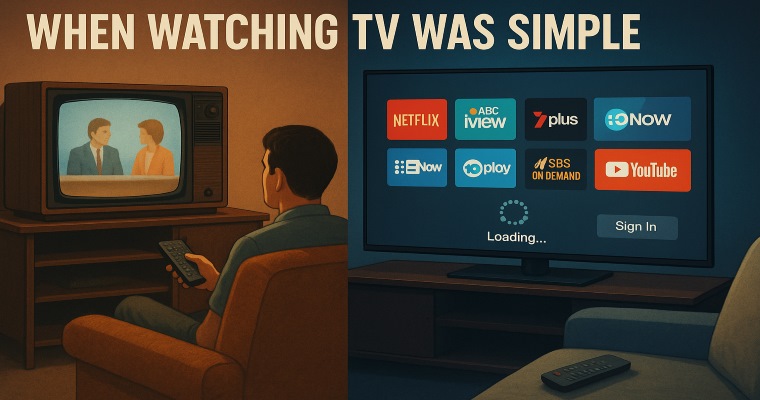
Remember when watching a movie at home meant plugging in a cheap DVD player and turning on the TV?
That setup could last 10 years or more without updates, subscriptions, or account logins.
Fast-forward to 2026, and the cost of “just watching something” has quietly turned into a multi-thousand-dollar hardware commitment — while the devices themselves are increasingly designed to age out long before they physically fail.
The convenience revolution has a hidden price tag.
The $4,000 Movie Night
Start with the modern “basic” setup.
A reasonable smartphone today — one with decent storage, a usable camera, and 5G — typically lands somewhere around $500–$800 for mid-tier models. Flagships easily cross $1,000.
A laptop capable of browsing and streaming comfortably? Expect $500–$1,000 for entry-level machines, with mid-range systems landing between $1,200–$1,700.
Then there’s the TV. Even budget televisions now default to 4K smart displays, with a typical 55–65″ set costing $500–$1,000 from brands like Hisense, TCL, or Kogan.
Add it all together and the typical household spends somewhere between $1,500 and $4,000 assembling the hardware used to access modern streaming entertainment.
All just to access content that used to run on a $60 DVD player.
The Mass-Production Paradox
Technology was supposed to get cheaper over time.
Manufacturing has never been more automated. Semiconductor fabrication has advanced dramatically. Global supply chains operate at enormous scale.
So why aren't devices dramatically cheaper?
Instead, prices remain stubbornly high — partly because the industry now packs devices with features nobody asked for:
AI processing units
ultra-high-resolution displays
voice assistants everywhere
always-connected cloud services
These features inflate base prices while doing little to improve the simple experience of watching a movie.
Meanwhile, rising demand from AI data centres is also pushing up the cost of memory and components, placing additional pressure on consumer device prices.
Built to Age Out
The bigger issue isn’t the price — it’s how quickly the hardware becomes obsolete.
Modern smartphones often remain physically functional for years, yet their practical lifespan averages roughly 3–4 years before battery degradation, performance slowdowns, or loss of software support pushes users toward replacement.
Many users replace their phones even sooner — typically every 2–3 years.
Laptops follow a similar trajectory. While the hardware may last longer, glued batteries, soldered memory, and sealed components make repairs difficult and expensive. Many systems become sluggish or unsupported after 3–5 years.
Televisions should last far longer — and often the display panels do.
But the smart software inside them doesn’t.
Streaming apps stop updating. Operating systems lag. Services quietly drop support.
Ironically, the “smart” part of the TV often becomes obsolete before the screen itself.
The 4K Illusion
Modern TVs are aggressively marketed around 4K resolution.
But in Australia, free-to-air broadcasts still mostly operate in HD (1080i or 1080p). The widely discussed 4K broadcast future never really materialised.
That means the biggest benefits of 4K typically appear only on paid streaming tiers, where services like Netflix or Disney+ charge extra for Ultra-HD plans.
Consumers pay more for hardware that exceeds most broadcast content — while streaming platforms monetise the difference.
The Upgrade Cycle
All of this feeds a predictable loop.
- 1. Buy expensive hardware to access streaming platforms
- 2. Pay monthly subscription fees across multiple services
- 3. Watch devices lose support or performance within a few years
- 4. Replace the hardware
- 5. Repeat
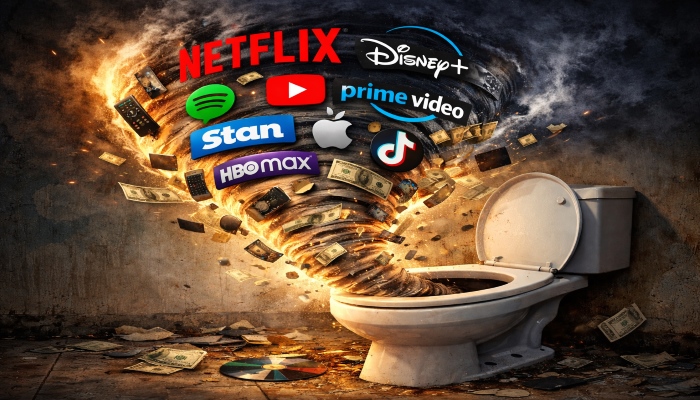
What began as a promise of convenience has quietly evolved into a permanent upgrade economy.
Households now juggle multiple streaming services, often spending around $41 per month on average, while broader digital entertainment subscriptions average $78 per month across nearly four services.
Meanwhile the hardware required to access them continues to grow more complex — and more disposable.
The Ownership Problem
Physical media had its flaws, but one thing was simple:
If you bought a DVD, you owned the movie.
Streaming changed that relationship. Access replaced ownership.
Movies and shows can disappear overnight when licensing deals change. Entire libraries vanish without warning.
Consumers pay continuously — but never actually own the content.
The E-Waste Elephant in the Room
There’s also an environmental cost hiding beneath the upgrade cycle.
Globally, electronic waste has grown to over 60 million tonnes annually, making it the fastest-growing waste stream in the world.
Only about one quarter of that waste is formally recycled.
Much of it comes from devices that still function — but are no longer supported or economically repairable.
Perfectly usable hardware ends up in landfill simply because the software moved on.
A Simpler Alternative?
For light users, the economics are starting to look strange.
Instead of maintaining thousands of dollars in fragile home hardware, some people are drifting toward minimal setups — a cheap laptop or tablet connected to a mobile hotspot.
A $30–$40 mobile data plan can suddenly look more appealing than maintaining a full entertainment ecosystem of smart devices, subscriptions, updates, and inevitable replacements.
Why “Dumb TVs” Disappeared
There’s one more detail that explains a lot about modern hardware.
A decade ago you could easily buy a “dumb TV” — a screen with no operating system, no tracking, no apps, and no software updates.
Today they’re almost impossible to find.
Because smart TVs aren’t just televisions anymore — they’re data platforms.
Many modern TVs collect viewing behaviour, app usage, and device information to power advertising systems and recommendation engines. Some manufacturers also earn ongoing revenue from ads displayed directly in the TV interface.
In other words, the television you already paid for can still generate income long after it leaves the store.
From a business perspective, this explains why manufacturers aggressively push smart features and connected ecosystems. A simple display that lasts ten years and never connects to the internet doesn’t generate additional revenue.
But a connected device that needs updates, services, and eventual replacement?
That fits perfectly into the modern tech economy.
The Real Question
The system isn’t broken.
It’s working exactly as designed.
Modern entertainment hardware is no longer a long-term purchase — it’s part of an ongoing revenue cycle built around upgrades, subscriptions, and software lock-in.
Which raises a simple question:
At what point does “convenience” stop being convenient — and start looking like a very expensive con?
Pricing & Data Notes
Prices mentioned in this article reflect typical Australian retail ranges observed between 2025–2026. Actual costs vary depending on brand, specifications, promotions, and retailer discounts.
Average figures referenced throughout the article are based on publicly available consumer research and industry reports covering device lifespans, subscription services, and consumer technology pricing.
Where averages are cited (such as internet or streaming costs), they represent national consumer surveys rather than individual household spending.
References
- 1. Canstar Blue — What Is The Average Internet Bill Per Month? (Feb 2026). Average Australian NBN bill around $85/month.
- 2. The Guardian — Australians pay $84 a month for their internet (Apr 2025).
- 3. NBN Co — nbn wholesale price changes from 1 July 2025 (May 2025).
- 4. WhistleOut Australia and provider pricing examples (e.g., Amaysim prepaid 5G plans).
- 5. Everyday Mobile from Woolworths — $30 prepaid 30-day plan.
- 6. Deloitte Australia — Digital Media Trends: Paying More, Scrolling Less (Nov 2025).
- 7. Canstar — Cost of Streaming Services in Australia (2026).
- 8. Australian Communications and Media Authority (ACMA) — Australia’s TV Prominence Framework (Jan 2026).
- 9. Freeview Australia — DVB-I broadcast testing announcements (Dec 2025).