
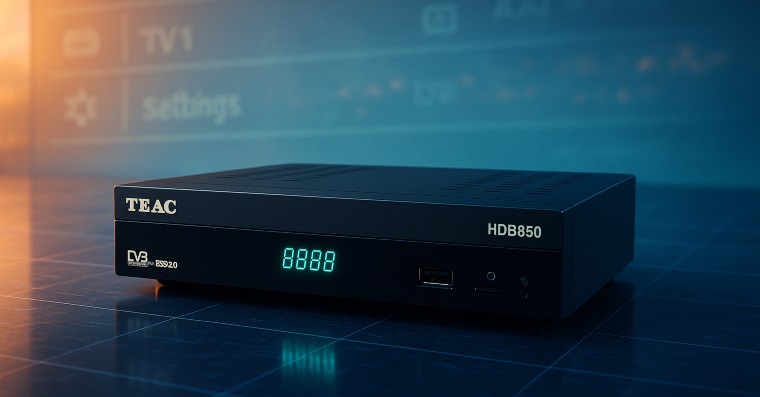
A few years ago, I picked up a budget TV tuner from Costco (Melbourne) — the TEAC HDB850. At just $40, I wasn’t expecting much more than a basic free-to-air digital tuner. But after spending some time with it, I found it to be a surprisingly handy device, especially for its USB-based PVR (Personal Video Recorder) feature.
In this post, I’ll walk through why the TEAC HDB850 caught my attention, what makes its recording feature interesting, and how you can easily join its multi-part video files into a single playable video — for free.
The Device: TEAC HDB850 PVR
At its core, the HDB850 is a digital set-top box with one job: tune in free-to-air channels. It connects to your LCD TV and acts as a digital tuner — and oddly enough, it seems to output a cleaner picture than most built-in TV tuners, particularly with our local 720p channels. This could be due to light filtering or some minor image processing, though that's just a guess.
What really sold me, though, was the recording feature.
Recording That Just Works — and Is Open
Unlike many PVRs that use proprietary or encrypted formats, the TEAC HDB850 records directly to AVCHD (MTS) format, split into ~500MB chunks. That’s roughly 15 minutes of video per file.
Better still — the files aren’t encrypted. You can drop them into Windows Media Player, VLC, or any modern video player and they’ll play without a hitch. That is, unless you're hoping to watch the full recording all at once. Then, you hit a snag.
The Problem: Chunked MTS Files
The recordings are saved as multiple `.MTS` files:
Players don't inherently recognize these as a sequence, so they’ll stop after each chunk. Even the TEAC HDB850 itself has a slight pause between segments during playback, and fast-forwarding near the end of a chunk can cause it to lose track of where you are.
So I went looking for a fix — a simple way to merge these MTS files into one seamless video.
The (Free) Solution: File Joining Without Re-encoding
As a programmer, my instinct was to dive into the file structure. But to my surprise, there was no complex wrapper or headers — you can literally just concatenate the files. No decoding, re-encoding, or special formatting needed.
So I hunted down a free tool that could handle this kind of binary file join — and found a great one:
(Available in both 64-bit and 32-bit versions)
How to Join MTS Files from the TEAC HDB850
Here’s how to stitch your recordings into a single playable file:
1. Download File Joiner
Head to the IgorWare website and download the version that matches your operating system (64-bit or 32-bit). No installation needed — just extract the `.RAR` file using WinRAR or 7-Zip.
2. Add Files in Order
Launch the app and drag your `.MTS`, `.MTS1`, `.MTS2`, etc., into the window.
Important: Make sure they are in the correct order! Disable the “Auto” sort option if needed.
3. Set Output Name
By default, the tool uses the name of the first file for the output. I recommend manually entering something like `SHOW-FULL.MTS` to avoid overwriting.
4. Join and Enjoy
Click Join and wait for the tool to do its magic. You’ll end up with a clean, continuous `.MTS` file that can be played back in your favorite media player with no gaps, sync issues, or pauses.
Bonus Tip: Using Dual Tuners
The HDB850 only has a single tuner, meaning you can't watch one channel while recording another — unless you get clever.
By using the antenna pass-through, you can connect the HDB850 between your antenna and your TV:
Antenna → TEAC HDB850 → TV
Then, simply switch your TV input between the TEAC’s output and the TV’s built-in tuner. This way, you can:
Final Thoughts
The TEAC HDB850 may not be the flashiest gadget on the shelf, but it’s a surprisingly flexible and open device for its price. The ability to record free-to-air digital TV to open, portable formats like .MTS, and join them without specialized software or re-encoding, is rare — especially in the low-budget range.
If you’ve got one of these lying around, or find one second-hand, it’s still a useful tool for casual recording and playback.
Hopefully, this guide helps you make the most of yours!
Have you used the TEAC HDB850 or a similar device? Found a better file-joining workflow? Drop a comment — I’d love to hear how others are getting the most out of these little PVRs.


