
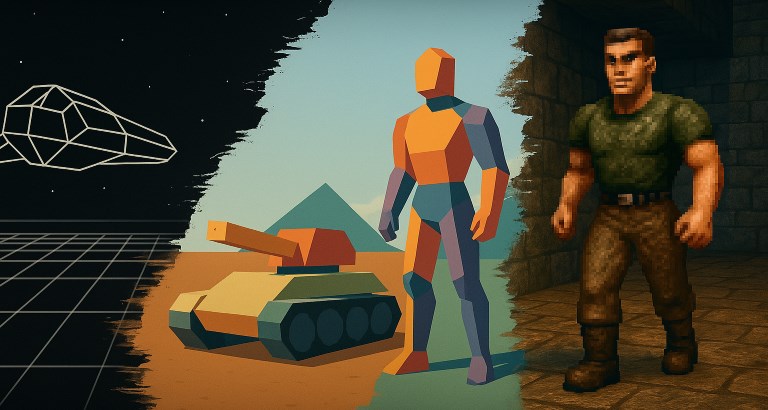
How Hardware Shaped the Early Days of 3D Game Development

April 13, 2025


Logo

When people talk about the birth of 3D games, names like Quake or Super Mario 64 often come up. These titles were revolutionary, no doubt—but to say they were the first 3D games erases an entire decade of groundbreaking work done by developers on much more limited machines.

To understand how 3D games truly evolved, we need to look at the hardware—because it wasn’t just creativity that shaped early 3D—it was silicon.


🎮 My First 3D Experience

I still remember the first time I saw Elite running on an 8-bit machine. Just sitting there, watching this angular wireframe spaceship rotate on the screen... it felt like a glimpse into another universe. It was the mid-80s, and compared to the colorful 2D sprites of the time, this thing looked alien—in the best way possible.

That moment stuck with me—not because the graphics were flashy, but because they defied what I thought the machine could even do.

3D on 8-bit Systems: Wireframes and Imagination

In the mid-1980s, firing up Elite on an 8-bit computer like the BBC Micro or Commodore 64 was a mind-blowing experience. The game presented players with a vast, navigable galaxy rendered entirely in wireframe 3D. For many, it was the first glimpse into a 3D world—even if that world was made of little more than white lines on a black background.

So yes, 3D games were already possible on 8-bit systems. But it wasn’t easy.

These machines had severe limitations: low clock speeds (1 MHz), minimal RAM, no dedicated graphics hardware, and restrictive color formats. Drawing a single wireframe model in real-time was already a feat. Anything more—like filled polygons or shading—was practically out of reach.

Despite this, clever programmers managed to do a lot with a little. They optimized math routines, made the most of fixed-point arithmetic, and worked within tight memory budgets. But the ceiling was low. The hardware dictated just how ambitious a 3D project could be.


The 16-bit Leap: Enter the 68000 Era

When 16-bit systems like the Amiga and Atari ST arrived, the scene changed dramatically. With CPUs like the Motorola 68000, developers suddenly had access to sixteen 32-bit registers, hardware multiplication and division, and support for palette-mapped graphics with more colours. It was like stepping into a new world.

These machines allowed for the jump from wireframe to flat-shaded filled polygons. But even here, the hardware imposed strict boundaries.

Rendering a filled polygon scene is much more expensive than a wireframe one—not just because of the math involved in rasterization, but also because of overdraw. Basic occlusion was usually handled via backface removal and Z-sorting, but that wasn’t always enough to keep the scene efficient. Color depth was another constraint. Without enough shades to work with, developers couldn’t do much more than flat fills.

Games like Starglider II, Stunt Car racer and Carrier Command managed to pull off convincing 3D scenes, but it was always a battle against the machine’s limits. Developers had to be extremely careful about how many polygons they pushed, how often they updated the screen, and how much memory they consumed.


📊 Timeline: 3D Evolution by Hardware Generation

Era Platform Major 3D Capability Key Example Games
Early 80s ZX81, C64, BBC Micro Wireframe only 3D Monster Maze, Elite
Late 80s Amiga, Atari ST Flat-shaded polygons Driller, Starglider II
Early 90s 386/486 DOS PCs Texture-mapping becomes viable Wolfenstein 3D, Descent
Mid 90s Pentium + GPUs Real-time texture + lighting Quake, Tomb Raider

🧮 Pixels Per Second: The Real Bottleneck

At the heart of every 3D breakthrough is one brutal equation:

CPU MIPS / (Desired FPS) / (Screen Pixels) = Cycles per pixel

On 486-era PCs, you finally had enough bandwidth to push full scenes at playable frame rates—if you optimized heavily. A chunky 8-bit pixel framebuffer (like 320×200x8) gave you direct access and kept memory usage down. Add in a fast CPU and enough RAM to hold texture data, and you could finally do real-time 3D with texture mapping.

Games like Ultima Underworld and Wolfenstein 3D cracked the door open, and by the time Quake hit in '96, the door had been kicked wide open.


🎯 Conclusion: Step by Step, Frame by Frame

3D gaming didn’t explode out of nowhere—it evolved, one frame at a time. Every generation of hardware set the ceiling for what developers could achieve, and every innovation in CPU, memory, or video hardware opened new doors.

The early 3D pioneers didn’t wait for permission. They squeezed every cycle, hacked every register, and tricked every display chip into doing what it was never meant to do—all in the name of chasing that extra dimension.

So while Quake and Mario 64 were turning points, let’s not forget the decades of 3D ingenuity that paved the way—one pixel at a time.


Building a Wolf 3D-Style Engine in PlayBASIC with Affine-Textured Polygons

March 31, 2025


Logo

The idea behind this project was simple: Could I recreate a Wolfenstein 3D-style engine in PlayBASIC while maintaining good perspective but using affine texture-mapped polygons instead of traditional raycasting?

Floors and Ceilings: Subdivision for Perspective

Classic Wolfenstein 3D engines rely on raycasting, but I wanted to explore using polygons. This introduced two key challenges: rendering walls and handling floors/ceilings. I tackled floors first by subdividing floor tiles near the camera, ensuring that closer surfaces were represented with a denser set of polygons. This approach worked well, maintaining an accurate perspective without excessive computational overhead.

Walls: Adaptive Subdivision

I applied the same technique to walls, subdividing them based on their distance from the camera. Surfaces closer to the viewer were represented with more polygons, while those farther away used fewer. This adaptive approach preserved scene perspective while optimizing performance.

Ensuring Proper Polygon Order

A major challenge with polygon-based rendering is ensuring proper drawing order. Since walls, floors, and ceilings are drawn as independent polygons, z-fighting (incorrect layering of polygons) can be an issue. To address this, I implemented a two-pass rendering system:

  1. 1. First, floors and ceilings are drawn.
  2. 2. Then, walls are rendered on top.

This method prevents z-popping artifacts commonly seen in painters’ algorithms and produces a visually appealing scene.


Enhancing the Classic Wolf 3D Look: Adding Light Mapping

To push beyond the classic Wolfenstein 3D aesthetic, I added a light mapping pass. Implementing this in PlayBASIC required rendering the scene twice—essentially brute force—but the cost was only around a 20% performance hit. The visual improvement, however, was well worth it.

The process involved:

  1. 1. Drawing the texture-mapped scene.
  2. 2. Overlaying a Gouraud-shaded version of each triangle, where each pixel’s color was alpha-blended with the background.

This resulted in a real-time light-mapped scene with a Doom-like atmosphere, enhancing immersion and depth.


Pushing Further: 3D Polygonal Characters Instead of Sprites

A long-standing idea I wanted to explore was replacing traditional 2D sprites with 3D polygon-based characters. This concept originated from my work on a rendering engine called "Reality" for Amiga computers back in 1995, which aimed to integrate both sprites and 3D objects within a scene.

Implementing 3D Objects

To bring this concept into PlayBASIC’s Wolf 3D engine, I needed a way to load and render 3D models. I chose the DirectX ASCII format due to its simplicity. The loader extracted three key components:

  • Vertex data (point locations)
  • UV data (texture mapping coordinates)
  • Face data (which vertices form polygons)
  • Fortunately, I had already written a PlayBASIC loader for this format years ago. With minor modifications, I incorporated it into the project and built a simple object library for dynamic 3D models within the scene.

    Sorting and Rendering 3D Objects

    Rendering 3D models in a PlayBASIC-based engine required an efficient way to order polygons. Rather than manually sorting faces, I leveraged PlayBASIC’s built-in 2D camera system. Each face was assigned an average depth value (Z-depth), and the engine used the camera’s sorting system to manage rendering order. This approach avoided the need for a costly manual sort, maintaining decent perspective despite the lack of true z-buffering.

    The final result was impressive: a Wolfenstein 3D-inspired environment with fully textured, light-mapped walls and floors—now featuring real 3D characters and objects.


    Future Optimizations: Reducing Overdraw with a Portal System

    One of the biggest challenges in 3D rendering is overdraw—when objects outside the visible scene are still processed and rendered. While the engine is fast enough to handle this, unnecessary rendering wastes performance.

    To optimize, I am experimenting with a portal-based rendering system. This system:

  • Connects open areas (portals) within the game world.
  • Checks which portals are visible from the camera’s current position.
  • Recursively determines visibility, ensuring only necessary polygons are processed.
  • This technique should significantly improve rendering efficiency without sacrificing visual fidelity. However, that’s a topic for a future update!


    Get the PlayBASIC Source Code

    You can download the full PlayBASIC source code for this project from our forums. Stay tuned for more updates as I refine the engine and explore new rendering techniques!

  • Yet Another Wolfenstein 3D Demo (Texture Mapped Floors & Ceiling)


  • Reality: The Lost Amiga 3D Engine

    March 30, 2025


    Logo

    What Is Reality?

    Reality was the name of our Wolfenstein 3D-style game engine, which became an umbrella term for anything related to that pursuit. The project aimed to create a fast and efficient first-person engine on a near-stock Amiga 1200 (020+FastRAM) in the mid-1990s. This archive contains the last known remaining compiled executables from my various attempts to achieve reasonable performance on the platform.

    Originally, the Reality project was most active between 1994 and 1995. Apart from a few screenshots shared with close friends, it was never publicly released. The executables included here represent alpha-stage software—functional but far from stable. While they take over the system in as OS-friendly a manner as I knew at the time, modern systems may not handle them well.


    About the Demos

    Reality.exe - Ray Casting Experiment

    This was the initial test of the engine, developed sometime in late 1993 or early 1994. The first major challenge was the chunky-to-planar (C2P) problem, where my initial attempts using unrolled bit sets failed spectacularly. While this approach might have worked for particle effects, it was a disaster for general-purpose rendering. However, after several iterations, I moved on to a bit-parallel rotation solution, which significantly improved performance.

    This is the only version of Reality that employs a true ray-casting method. The scene is constructed by casting rays outward from the camera’s field of view, step by step, checking for wall collisions. Each map pixel represents a vertical wall strip, likely stored as 8-bit data, allowing for 256 unique wall textures.

    Color depth was either 16 or 64 colors, which struck a balance between visual quality and conversion speed. This version laid the foundation for later advancements.


    Map.exe - 64-Color 2D Polygon Walls

    As development progressed, I re-evaluated the engine’s structure and opted for a different approach. Instead of a traditional grid-based map, I structured levels as a grid of evenly spaced vertices, where walls were formed by linking vertex pairs. This allowed for non-orthogonal walls and greater flexibility in map design.

    Rendering involved rotating and projecting the sector vertices, which determined floor and ceiling heights. The scene was then processed polygon-by-polygon. For each wall, I interpolated across its top and bottom, computing its Z-depth and texture U-values. Instead of rendering strips immediately, the engine stored them in a Z-buffer, ensuring proper visibility sorting.

    A unique optimization was that textures were stored rotated in memory, enabling rapid texel fetching using a simple 8-bit V-offset.


    Project Reality - 256-Color Rendering & 3D Objects

    By early 1994, the gaming world was in the grip of DOOM fever, and we ambitiously aimed to push Reality further. As Commodore's decline loomed, we set our sights on creating something akin to Blake Stone, but with even more complex environments and polygonal objects.

    This demo showcases the most advanced features we implemented:

  • 256-color rendering
  • Textured walls with transparency support
  • Depth-based lighting effects
  • Early support for floors & ceilings
  • Multiple rendering modes
  • Initial 3D polygon rendering
  • For polygonal objects, we experimented with a method where triangles were clipped against the depth buffer. The goal was to calculate the screen-space width of an object, scan across the depth buffer, and determine the visible clipping edges. This technique would have allowed objects to be properly occluded by walls while enabling partial visibility. While not perfect, it was an innovative approach at the time.

    Unfortunately, time and talent ran out. By the time we reached this stage, the Amiga community had already embraced Fears, Gloom, Breathless, and Alien Breed 3D. The dream of completing Reality faded, but looking back, I still wish I had been able to bring my full vision to life on screen.


    System Requirements

  • System: Amiga 1200 / Amiga 4000
  • Processor: 68020 or higher
  • Video: AGA chipset
  • RAM: 2MB + 2MB FastRAM
  • Sound: Not required

  • Final Thoughts

    Reality remains a fascinating relic of my early game development journey. While it never reached a finished state, it reflects the passion and creativity that fueled many indie Amiga developers during the 1990s. This archive preserves those efforts—flawed but ambitious, a glimpse into what could have been.

    Links:

  • Download Reality 3D Tech Demos(Amiga)